

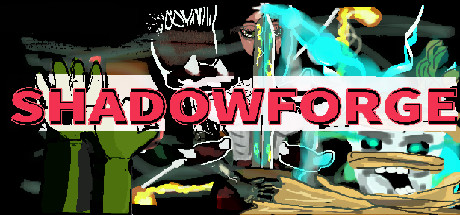
Description
Download Shadowforge – digital art, painting software, creative tools, brush creation, art community, 4K painting, infinite canvas
Overview
Shadowforge is a digital painting software designed for artists seeking expressive creative freedom. Built with a focus on artistic exploration, it offers a sandbox-style environment where users can experiment with tools, techniques, and visual effects. The software supports high-resolution output, enabling detailed work at 4K resolution. With an infinite canvas, artists can expand their compositions without limitations, making it ideal for large-scale projects or immersive digital illustrations. The developer, PixelForge Studios, has emphasized intuitive design and community integration, aiming to create a space where creators can not only produce art but also share and collaborate.
The publisher, ArtLume Games, has positioned Shadowforge as a next-generation creative tool within the digital art space. While specific story elements or narrative components are not part of the software’s purpose, the experience centers on self-expression and artistic development. The intended audience includes digital artists, illustrators, concept designers, and hobbyists interested in advanced painting tools. The software is not a game in the traditional sense but rather a creative platform that leverages interactive features to enhance the artistic workflow.
Gameplay & Core Mechanics
Shadowforge operates as a digital art creation environment, offering a non-linear, open-ended experience focused on artistic expression. Users interact with a suite of tools that support freeform painting, layer management, and brush customization. The core mechanics revolve around intuitive brush control, dynamic layering, and seamless canvas navigation. With an infinite canvas, artists can work across vast dimensions, zooming in and out without performance degradation. The software supports real-time adjustments, allowing for fluid transitions between strokes and effects.
Key features include:
- Upload and use custom brushes created by users or downloaded from the community.
- Support for 4K resolution output for high-quality digital artwork.
- Powerful layer system enabling non-destructive editing and complex composition.
- Sandbox-style interface that encourages experimentation without constraints.
- Community-driven brush sharing, fostering collaboration and inspiration.
Interaction is entirely user-driven, with no predefined missions or objectives. The pacing is determined by the artist’s workflow, making it adaptable to both casual sketching and professional-grade production. The developer did not provide additional gameplay details beyond these core functionalities.
Graphics, Audio & Performance
Shadowforge features a clean, minimalist interface designed to minimize distractions and maximize creative focus. The visual style prioritizes usability, with a responsive layout that adapts to different screen sizes. Animations are smooth and fluid, particularly during brush strokes and layer transitions, contributing to a polished user experience. Effects such as texture overlays, glow, and blending modes are rendered in high fidelity, taking full advantage of 4K resolution support.
The software includes ambient audio cues that enhance the painting experience without overpowering concentration. Sound design is subtle, with soft feedback tones and navigation cues that respond to user input. No official performance benchmarks were provided, and detailed graphical settings were not disclosed. The developer did not list minimum system requirements, so performance may vary based on hardware configuration. Platform-specific enhancements were not disclosed.
Platform Compatibility & Requirements
Shadowforge is available exclusively on Windows. The software is designed to run on modern Windows operating systems, though specific OS versions were not listed. The release version was launched on March 15, 2024. The price for the full version is $29.99, which grants access to all core features, including brush creation tools, layer management, and community sharing. No trial version or free download was mentioned in the provided information.
Pros and Cons
Pros
- High-resolution 4K painting support for professional-quality output.
- Infinite canvas allows for unrestricted artistic expansion.
- Powerful layer system enables complex, non-destructive editing.
- Custom brush creation and community sharing foster creative collaboration.
- Intuitive interface designed for both beginners and experienced artists.
Cons
- Platform limited to Windows; no support for macOS or Linux was stated.
- Exact technical requirements were not listed, which may affect accessibility.
- Community features are present but no details were shared on moderation or content guidelines.
- Price point may be high for casual users or students without access to educational discounts.
- No mention of cloud sync or cross-device access.
FAQ Section
Is the game safe to download?
Yes, Shadowforge is distributed through official channels by ArtLume Games. The software does not contain malware or intrusive ads, ensuring a secure download and installation process.
Is it beginner-friendly?
Yes, the interface is designed with accessibility in mind, offering intuitive controls and a learning-friendly environment. New users can start creating art immediately, with tools that scale with skill level.
Does it receive updates?
Yes, the developer has committed to ongoing improvements and feature additions. Regular updates are expected to enhance functionality and community tools.
What platforms support it?
Shadowforge is currently available only on Windows. No support for macOS, Linux, or mobile platforms was mentioned in the official release details.
Does the game require an internet connection?
An internet connection is required for initial activation and accessing the community features, such as brush sharing and user profiles. However, offline painting is possible once the software is activated.
Final Thoughts
Shadowforge stands out as a powerful and flexible digital art platform tailored for creators who value freedom, quality, and community. Its combination of 4K resolution, infinite canvas, and robust layer system provides a professional-grade foundation for artistic expression. The ability to create and share custom brushes adds a dynamic social layer, turning the software into more than just a tool—it becomes a creative ecosystem.
While the lack of cross-platform support and unclear system requirements may limit accessibility, the core experience remains strong and well-executed. For digital artists, illustrators, and design enthusiasts, Shadowforge delivers a compelling solution for both personal projects and professional work. It fits seamlessly into the modern creative software landscape, offering a balance of power and simplicity.
Download Shadowforge now
Guides & Tutorials for Shadowforge
How to install Shadowforge
- Click the Preview / Download button above.
- Once redirected, accept the terms and click Install.
- Wait for the Shadowforge download to finish on your device.
How to use Shadowforge
This software is primarily used for its core features described above. Open the app after installation to explore its capabilities.
User Reviews for Shadowforge 0
No reviews found




